Modular scene props
Create several readable variations of crates, towers, carts, or buildings while keeping their proportions coherent across a level.
Sloyd Text to 3DSloyd 3D Templates give you a dependable starting point for editable geometry. Adjust proportions, details, and finishes instead of rebuilding every model from scratch, then connect the result to the rest of your workflow.
You do not need a finished brief to use a template well. A useful object category, a rough target style, and one decision about scale are enough to begin. If the shape is still completely open, the Sloyd Text to 3D workflow can help you explore concepts first; a reference-led idea can move through image to 3D creation before you settle on editable geometry.
Pick the closest object family so the starting proportions already support the direction you want.
Decide width, height, depth, and the main part arrangement before tuning small decorative details.
Choose a finish and level of detail that matches where the model will go next: game engine, print, or presentation.
A template works best when each pass answers one clear question. First establish the silhouette, then make the parts communicate their purpose, and only after that spend time on surface treatment.
Create several readable variations of crates, towers, carts, or buildings while keeping their proportions coherent across a level.
Sloyd Text to 3DUse adjustable geometry to test scale and silhouettes before committing to final topology, textures, or animation.
Sloyd Image to 3DChange dimensions and selected details while preserving a clean base, making repeatable physical experiments easier.
text-led 3D explorationPrepare several controlled directions for a review instead of presenting unrelated rough models that are hard to compare.
reference-based modelingTemplates are strongest when you know the object family and want to control the result. Compare that route with open-ended generation before choosing where to spend your next iteration.
| Attribute | Parametric template | Open-ended prompt |
|---|---|---|
| Starting geometry | Defined base shape | Generated from description |
| Dimension control | Direct controls | Less predictable |
| Repeatable variants | Strong fit | Needs more iteration |
| Style exploration | Finish and material changes | Broad visual range |
| Part relationships | Preserved while editing | May vary between results |
| Best for | Production variations | Early concept search |
| Learning curve | Simple control model | Prompt-led |
Set the number of related assets in a batch. The estimate assumes a reusable base reduces manual setup across similar models; it is a planning aid, not a quote.
Sloyd works best when you want a controlled family of forms. It is not a replacement for every modeling task, and knowing the edge cases helps you choose the right workflow sooner.
A template cannot invent a form outside the design space it was built to support.
Workaround: explore the idea with text or image generation, then model the chosen direction.
Parametric controls are not intended to reproduce every irregular surface or photographic detail.
Workaround: use a reference-led workflow or a dedicated scan and cleanup process.
A strong starting point may still need optimization for a specific rig, platform, or manufacturing constraint.
Workaround: inspect and refine the mesh in the destination tool before shipping.
Templates expose intentional controls, not every possible modeling operation or arbitrary edit.
Workaround: use the template for structure, then add bespoke details downstream.
They are editable 3D starting points built around a defined object family. Instead of beginning with empty space, you adjust the proportions and details that matter to your intended result.
Yes. The route is designed for controlled changes such as width, height, depth, part spacing, and selected design details, depending on the template.
That is one of their clearest advantages. A shared base makes it easier to create a family of assets that feels consistent while still allowing meaningful variation.
Use a template when repeatability and proportion control matter. Start with a prompt when you are still searching for an unfamiliar silhouette or a broad visual direction.
Yes. Treat the customized result as a practical starting point, then review topology, materials, scale, and platform requirements in the tool where the asset will be finished.
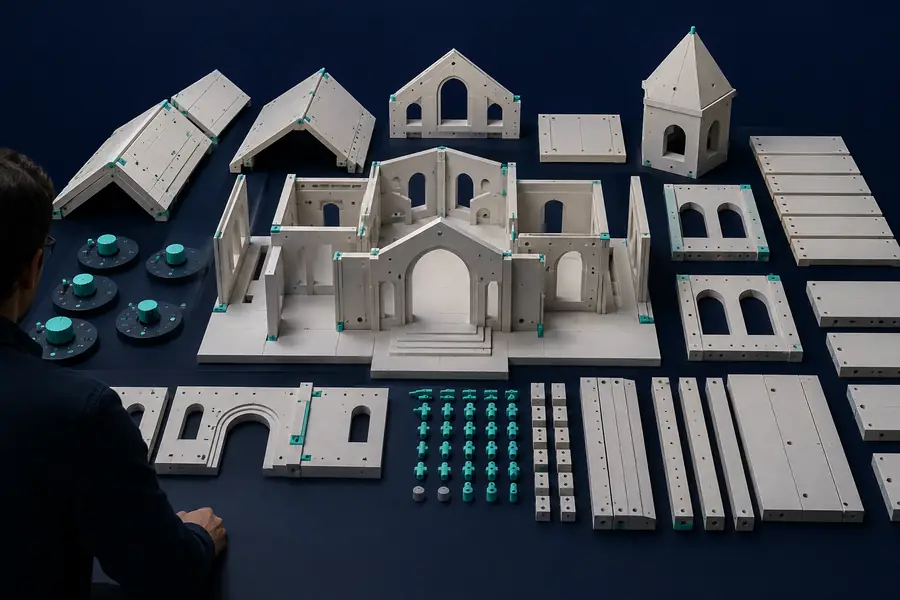

The useful change is not simply more detail; it is a clearer relationship between the parts, proportions, and intended use.