3D creation comparison

Sloyd vs Meshy: Which tool fits your 3D workflow?

Sloyd vs Meshy is less about naming one universal winner and more about choosing the right starting point. Compare prompt-led exploration, editable templates, control, and handoff before you commit to a workflow.

Visual comparison of Sloyd and Meshy 3D creation workflows
Verdict first

The practical verdict at a glance

Choose Sloyd when you want a useful 3D starting point with more structure, adjustable parts, and repeatable variations. Choose Meshy when open-ended text or image generation is the main objective and you want to explore many forms quickly. For some projects, the strongest route is to use each tool for the stage it handles best.

Side-by-side comparison of Sloyd and Meshy
Dimension Sloyd Meshy
Primary starting point AI-assisted ideas and editable 3D templates Generative text-to-3D and image-to-3D exploration
Prompt-led ideation Useful for shaping a clear 3D direction Strong fit for broad visual exploration
Parametric control A central part of the template workflow Not the primary reason to choose the platform
Repeatable variations Change proportions and details systematically Variations are generally generation-led
Reference images Can guide a model direction and visual language A core route for image-to-3D exploration
Best handoff mindset Start with a controllable asset direction Start with a generated concept to refine
Ideal first question What parts need to stay editable? What shape or style should I explore?
Best overall fit Controlled iteration and production-minded concepts Fast visual discovery across many object types
Short answer

There is no universal winner

The better choice depends on whether your bottleneck is finding a visual idea or controlling what happens after you find it.

Sloyd leans toward structure.

Meshy leans toward generative breadth.

Dimension by dimension

Compare the workflows that matter after the first result

A first-generation preview is only one part of a 3D workflow. The practical differences appear when you need to repeat a shape, adjust a proportion, or prepare the result for another tool.

Best for control

Sloyd

Winner for repeatability

Sloyd is the stronger fit when the concept needs to remain understandable and adjustable. Its template-led approach gives you a more deliberate place to begin, especially for props, environments, and assets where proportions matter.

  • Useful controls for proportions, details, and variations
  • Good bridge between ideation and a handoff-ready direction
  • Pairs naturally with a parametric template workflow
  • Less suited when you only want unlimited open-ended shape discovery
Best for breadth

Meshy

Winner for exploration

Meshy is a natural choice when the main challenge is turning a prompt, sketch, or reference into many possible 3D directions. It can help you test a visual idea before deciding what deserves a more controlled production pass.

  • Fast route from text or images to broad visual concepts
  • Helpful when the desired form is still being discovered
  • Fits an image-first concepting process
  • Generated geometry may need more cleanup and downstream decisions

If you want to stay in a browser while you explore, the Sloyd Online workflow keeps the first steps lightweight. If your process begins with written descriptions, compare that with the focused text-to-3D route rather than judging either platform only by a single sample model.
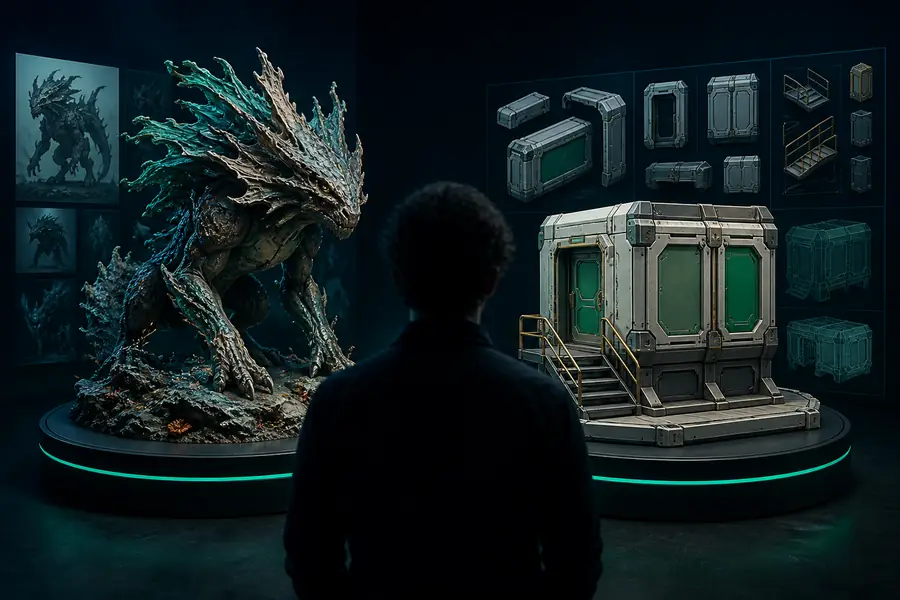
Choose by project stage

Who each workflow suits best

Start with the constraint that is most important to your team. The right answer changes when you are blocking on inspiration, consistency, or the next handoff.

Choose Sloyd when
You already know the kind of asset you need and want to explore controlled variations rather than restart from scratch every time.
Choose Meshy when
You have a visual prompt or reference but the final shape is still open, so broad generation is more valuable than predictable construction.
Use both when
You want Meshy to widen the idea space, then Sloyd or another modeling workflow to give the selected direction more structure.
Migration path

Move between workflows without starting over

A comparison does not have to become a permanent either-or decision. Keep the stage that works, export or preserve the useful reference, and move the next decision to the tool with the better control surface.

A generated mesh is not automatically a template

Moving a Meshy result into Sloyd does not instantly create sliders or reusable parametric logic.

Workaround: use the result as visual reference, then rebuild the repeatable parts through a suitable template or modeling workflow.

Templates do not replace open-ended sculpting

Sloyd's structured approach is not intended to cover every organic or highly irregular form.

Workaround: use generative exploration for unusual silhouettes, then choose a controlled route only for the assets that benefit from it.

Neither first result is the final production asset

Both workflows can produce a valuable direction while still leaving cleanup, materials, scale, or topology decisions ahead.

Workaround: define the handoff requirement early and inspect the result in the tool where it will actually be used.

The best choice changes by asset type

A game prop, a character concept, a printable object, and a mood-board experiment can reward different starting points.

Workaround: test one representative asset from your real library before standardizing the workflow for a whole team.

A decision you can test

Comparison FAQ

Use these questions to turn a broad comparison into a small, practical workflow test.

2 primary starting philosophies
3 useful ways to combine them
1 representative asset to test first
0 universal winners for every project
Is Sloyd better than Meshy?

Sloyd is better when editable structure, repeatable proportions, and a dependable starting point matter most. Meshy may be better when the goal is to explore many prompt or image-led directions quickly. The right comparison is not only the first render; it is how much work remains before the asset becomes useful in your actual pipeline.

What is the main difference between Sloyd and Meshy?

Sloyd emphasizes a more controlled path through AI-assisted creation and parametric templates. Meshy is commonly evaluated for its generative text-to-3D and image-to-3D exploration. In simple terms, Sloyd starts closer to structured iteration, while Meshy starts closer to broad visual discovery.

Which is better for game development, Sloyd or Meshy?

It depends on the asset and the handoff requirement. Sloyd can be a strong fit for repeatable props and controlled variations, while Meshy can help a team generate early concepts from descriptions or references. Test both with one real game asset and judge the amount of cleanup, editing, and integration work left afterward.

Can I use Sloyd and Meshy together?

Yes. A practical combined route is to use Meshy for broad shape or style exploration, select a direction, and then use Sloyd or another controlled modeling workflow when the result needs predictable proportions and repeatable edits. The exact handoff depends on the asset and the tools already used by your team.

How should I decide between the two?

Ask whether your first problem is inspiration or control. If you need more possible answers, start with the generative workflow that makes exploration easiest. If you already understand the asset and need to keep changing it without losing consistency, start with the more structured workflow and measure the result against your real production constraints.